Join the Flikk Creator Discord: Meet Other Creators and Help Shape Flikk
Made a game on Flikk? Join the Flikk creator Discord to share your games, swap prompts, meet other creators and tell the team what to build next.

In this article
Made a game on Flikk? Then you're invited. The Flikk creator Discord is where people who build games on Flikk share their work, swap prompts and help shape what we build next. Once you've made a game, joining takes a tap in the app.
This post shows what's inside the server, how to get in, and what we're planning for later, like community game jams.
Quick note: Flikk is our app, and this is our server. To protect our community's privacy, we only show channel overviews and posts from the Flikk team, and we blurred creator names. Discord is a separate service, and its own terms apply.
What is the Flikk creator Discord?
It's the home of Flikk creators on Discord. The server is only for people who have made at least one game on Flikk, so everyone you meet there builds games too.
You can use it to:
- Show off your games. Every game you publish on Flikk appears in the server automatically.
- Get help with ideas. Talk through a game idea and swap prompts before you build it.
- Meet other creators. Hang out, say hi to new creators and find people who like the same kind of games.
- Talk to the Flikk team. Leave feedback, suggest features and report bugs. The team reads everything.
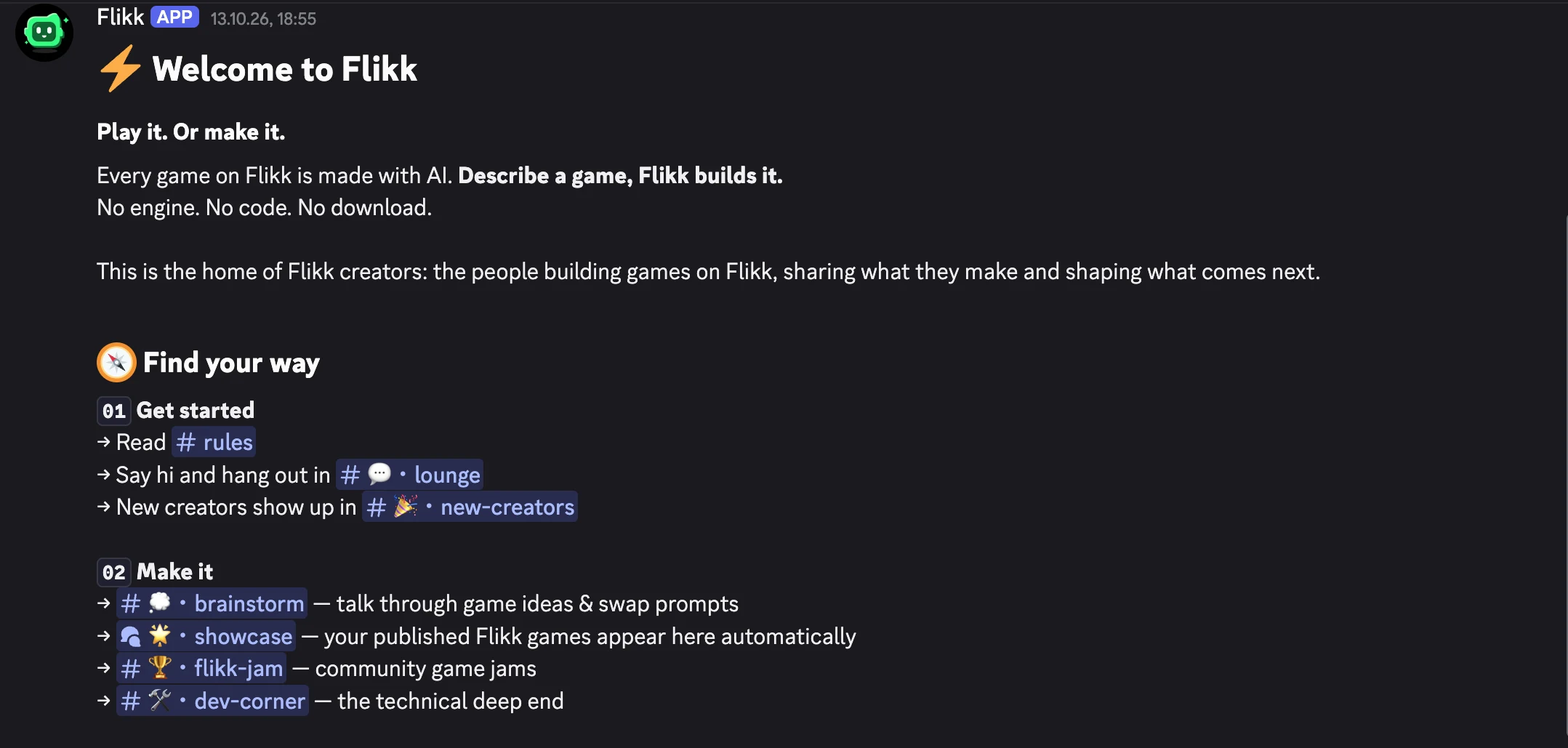
What's inside
The server is split into a few areas. These are the ones creators use most:
| Channel | What it's for |
|---|---|
| #start-here | Your map of the server |
| #new-creators | Every new creator who joins from the Flikk app shows up here. Give them a wave. |
| #lounge | Hang out and chat with other Flikk creators |
| #announcements | News and events from the Flikk team |
| #brainstorm | Talk through a game idea, swap prompts and get feedback before you build it |
| #showcase | Every game published on Flikk lands here automatically. Play it, react and leave feedback. |
| #game-talk | Favorites, hidden gems and high scores |
| #clips | Clips and screenshots of your best Flikk moments |
| #dev-corner | The technical deep end: how Flikk games work under the hood |
| #flikk-jam | Community game jams (planned for the future) |
| #feedback, #ideas, #bug-reports | Tell the team what you love, what's missing and what's broken |
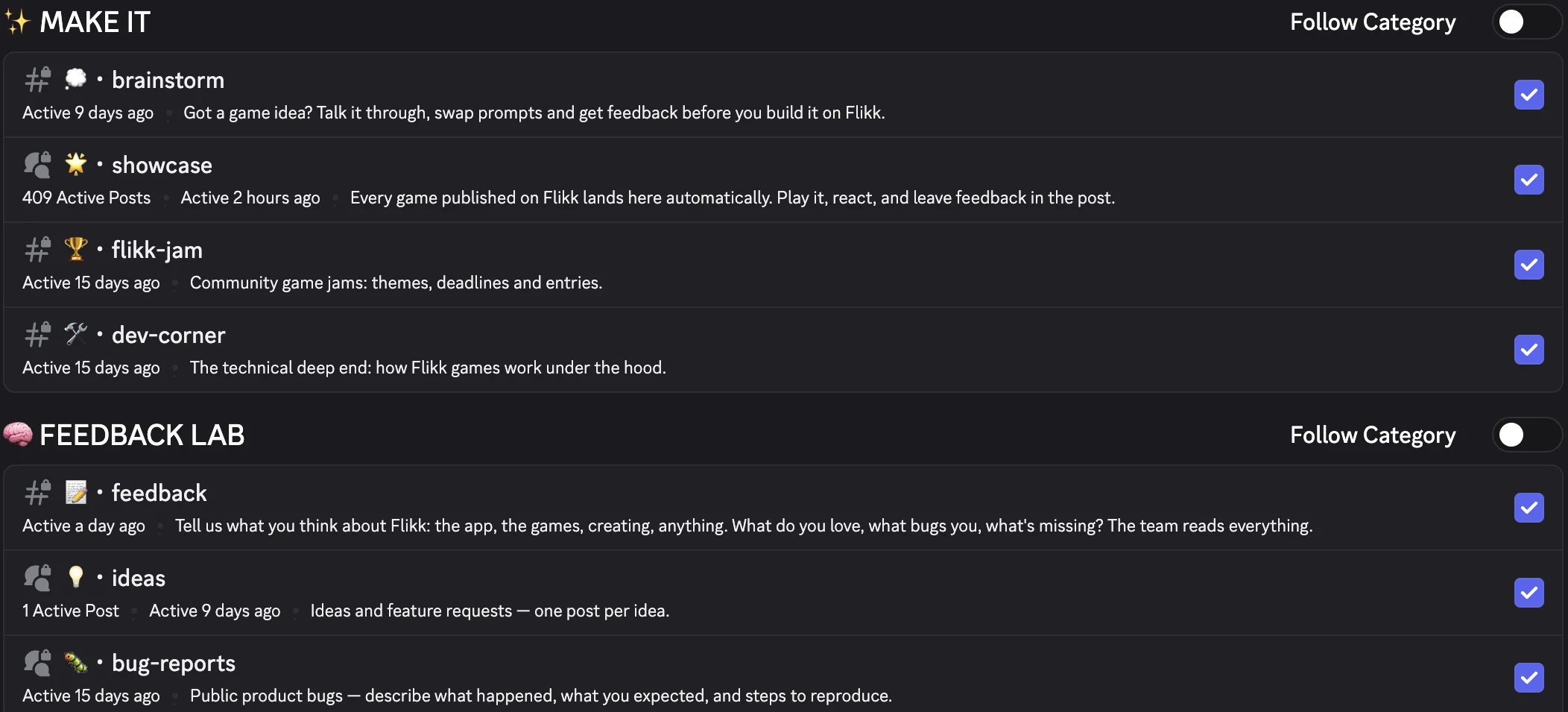
Your games, in the showcase
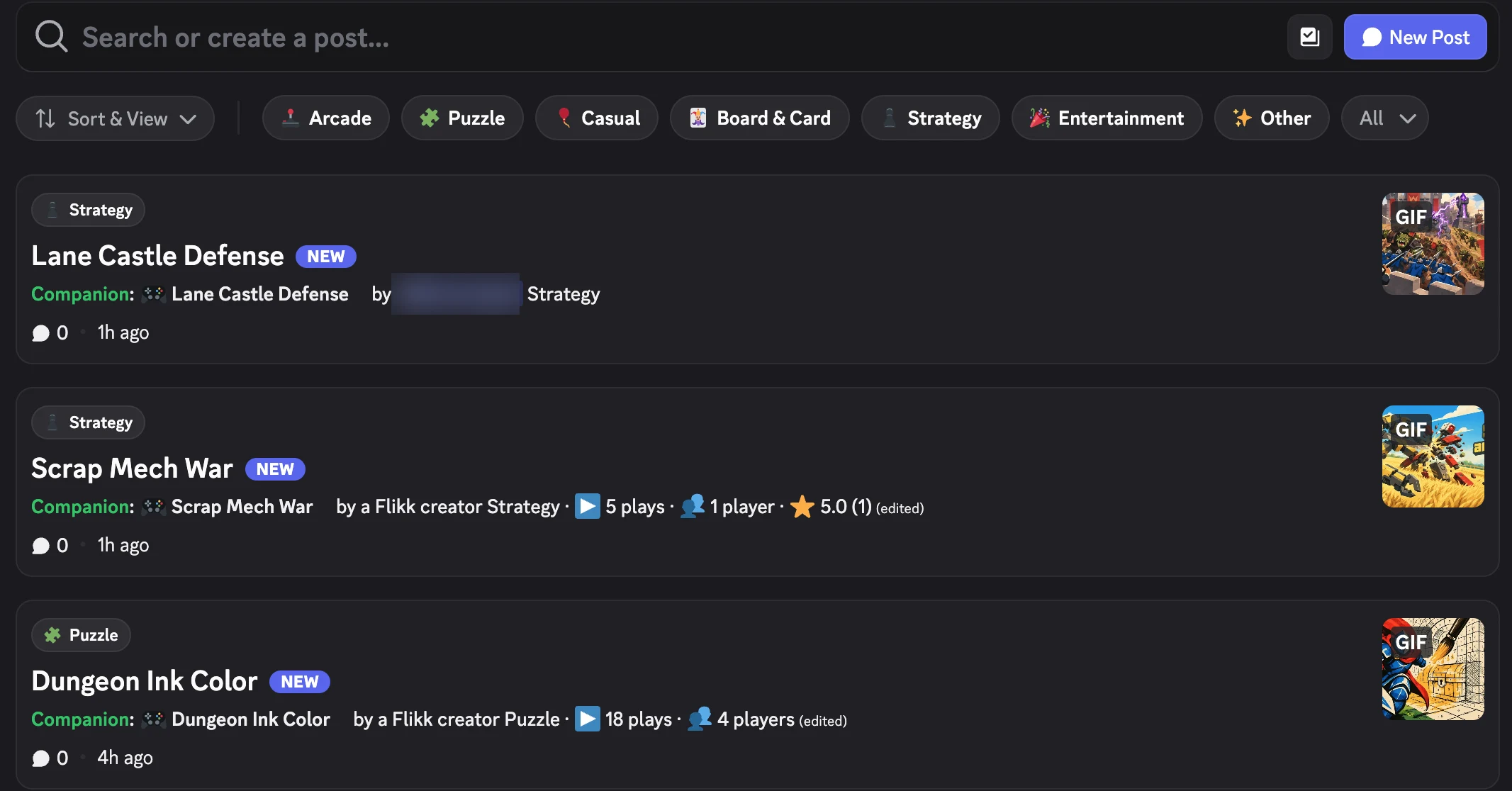
The showcase fills itself. When you publish a game on Flikk, it gets its own post in #showcase with its category, its plays and a preview. Other creators can play it, react and leave feedback right in the post. As of October 15, 2026, the showcase holds 409 game posts.
How to join the Flikk creator Discord
There's no invite link to hunt for. You join from inside the Flikk app:
- Get Flikk on iOS or Android. It's free.
- Make your first game. Open the Create tab and describe it in a sentence. Flikk builds it in about 15 minutes.
- Link your Discord account. Open the Profile tab, go to Your Games and tap Link Discord. The whole server unlocks automatically.
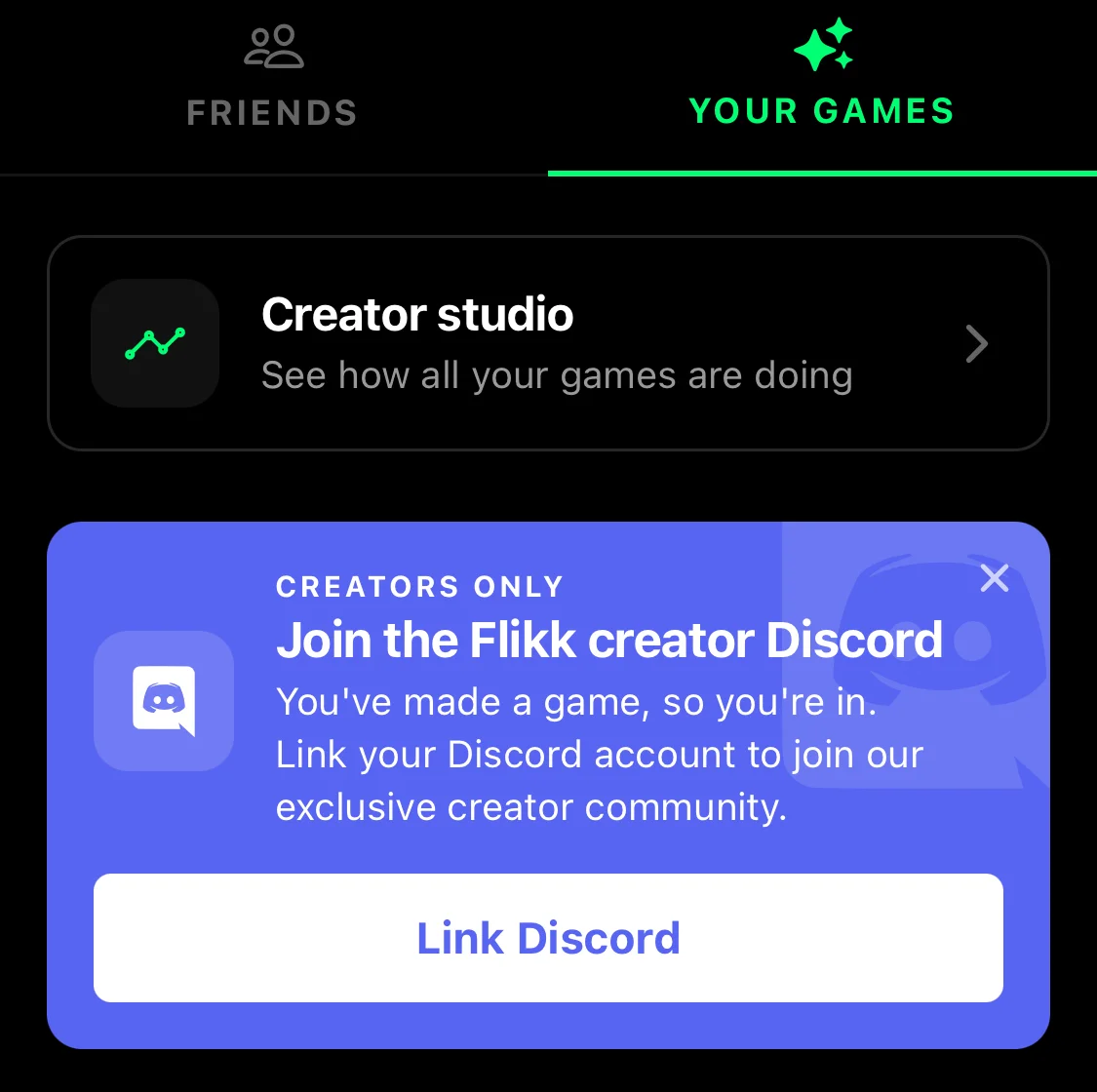
You'll need a Discord account to link. Discord's own rules apply there, including its minimum age.
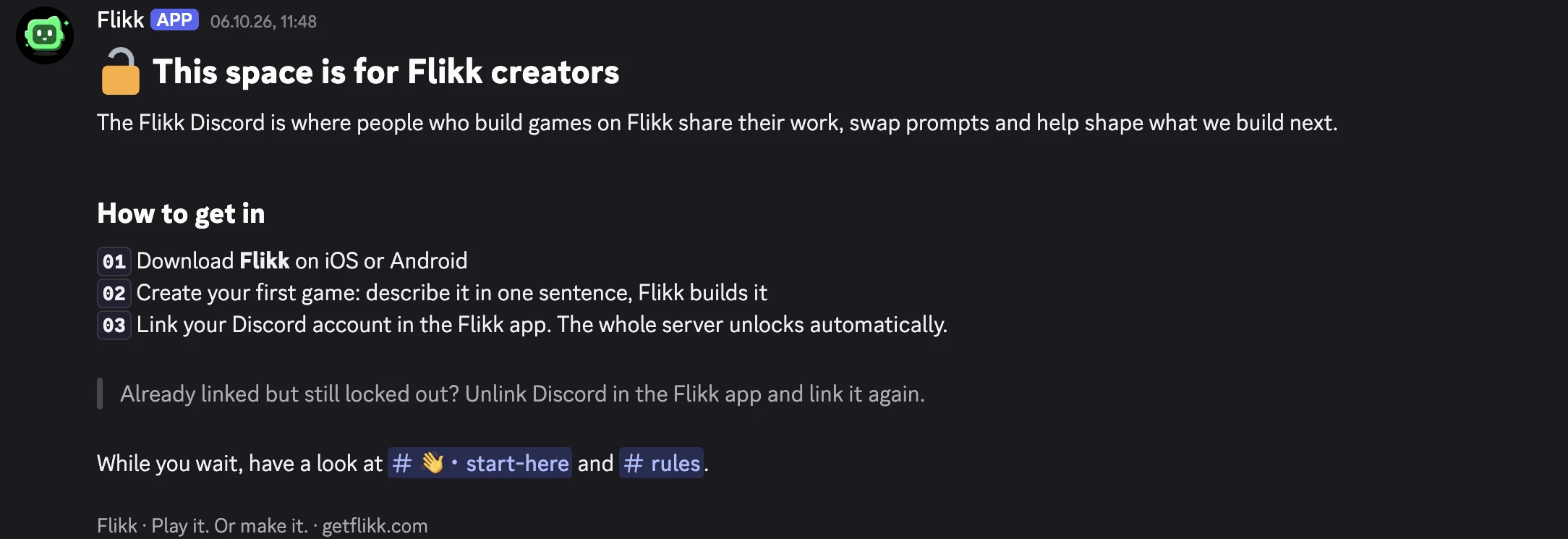
Linked but still locked out? Unlink Discord in the Flikk app and link it again.
Tell us what you think
The Discord is the easiest way to reach the Flikk team. We read everything, every day, and your feedback decides what we build next.
- #feedback: what you love, what bugs you, what's missing. The app, the games, making games, anything.
- #ideas: feature requests, one post per idea, so others can add to it.
- #bug-reports: something broken? Say what happened, what you expected and how to make it happen again.
Asked Flikk for something it can't make yet? You'll see a short warning in the app (we showed one in our Mobile Game Glossary). If you'd like that feature on Flikk, post it in #ideas. Prefer email? Write to help@getflikk.com.
In the future: Flikk Jam
One of our bigger plans for the future is Flikk Jam: community game jams in #flikk-jam. It's still early, and we're taking the time to get it right. A game jam is a short challenge: everyone gets the same theme and a deadline, makes a game, and then the community plays all the entries.
On Flikk, that would mean you can take part with a single sentence. No engine, no code, no team needed. Once it's ready, the themes, deadlines and entries will live in #flikk-jam, and we'll announce the first jam in #announcements.
Want to help shape it? Tell us in #ideas what kind of jams you'd like to see. Your ideas will help us plan it.
Meet other creators
Making games is more fun with people who get it. In the server you can:
- Say hi in #lounge and see what other creators are working on.
- Welcome new creators in #new-creators. Everyone was new once.
- Swap prompts in #brainstorm. See how others describe their games, and get feedback on your idea before you build it.
- Play each other's games in #showcase and leave a comment. A little feedback goes a long way for a new creator.
Please keep it friendly and safe for all ages. The #rules channel has the full list.
Join us
We'd love to see you in the server. Every game, every idea and every bit of feedback helps us make Flikk the best app for making your own games.
Haven't made a game yet? That's your ticket in. Open the Create tab, describe a game in one sentence, and Flikk builds it in about 15 minutes. Then go to Profile → Your Games → Link Discord, and say hi in #lounge.
Download Flikk on iOS · Download Flikk on Android
FAQ
How do I join the Flikk Discord?
Make at least one game on Flikk, then open the Profile tab, go to Your Games and tap Link Discord. Once your Discord account is linked, the whole server unlocks automatically. There's no public invite link.
Do I need to have made a game to join?
Yes. The Flikk Discord is a creator server, so it opens once you've made your first game. On Flikk that takes one sentence and about 15 minutes.
I linked my Discord but I can't see the channels. What now?
Unlink Discord in the Flikk app and link it again. That usually fixes it. If it doesn't, email help@getflikk.com.
When is the first Flikk Jam?
Flikk Jam is a longer-term plan, and there's no date yet. When it's ready, we'll announce it in #announcements and #flikk-jam. Until then, you can share your jam ideas in #ideas.
Is the Flikk Discord free?
Yes. Joining the server is free, and so is Flikk. Making games is free to start. Optional in-app purchases let you make more games or edit the ones you made.